 Inference
 Marketplace


Prerequisites
- You have the sysroot or CSadmin role in your parent enterprise.
- ZCLI is installed and available. For setup instructions, see the Get Started With ZCLI.
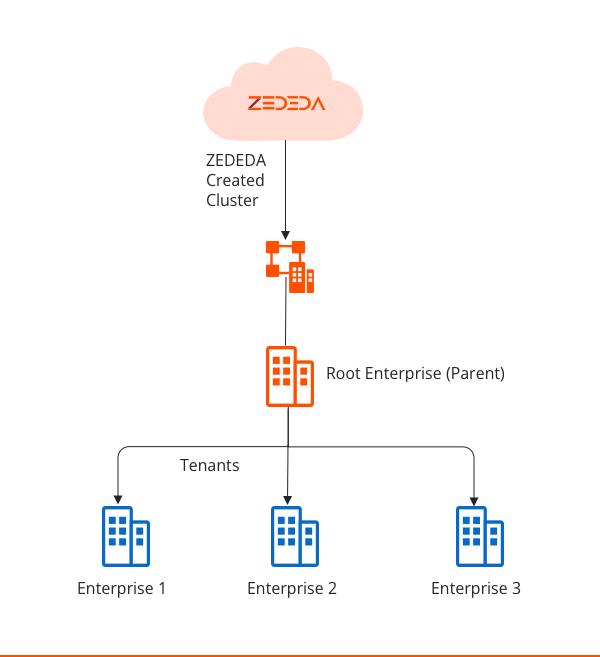
Create a child enterprise
Configure and log in to the parent enterprise
-
Configure ZCLI with your parent enterprise credentials:
Replace
<server>with your cluster hostname (for example,zedcontrol.zededa.net),<userid>with your admin username (for example,CSadmin), and<password>with your admin password. -
Log in to the parent enterprise:
Run the create command
Run the following command to create the child enterprise and its initial admin user:--inherit-auth flag allows the child enterprise admin to log in through the parent enterprise’s authentication URL. The command output confirms that the enterprise is created.
The admin password must be 8–64 characters and include at least one uppercase letter, one number, and one special character.
Update a child enterprise
If you created a child enterprise without--inherit-auth and want to add it later, run:
Delete a child enterprise
Verify the result
After creating a child enterprise, open the ZEDEDA console as the parent enterprise admin. In the top-right corner, select your initials or avatar, then select Enterprise. On the Settings tab, the Child Enterprises table in the Identity card lists the new child enterprise with its name and Inherit Authentication Profile status. The child enterprise admin can log in at the parent cluster URL using the credentials provided in the create command.Next Steps
Configure Enterprise Settings
Review identity, branding, and security settings for the child enterprise.
Configure Two-Factor Authentication
Enforce 2FA across the child enterprise using the Enforce For Child Enterprise toggle.
Manage Users
Invite additional users to the child enterprise.